Turn your LinkedIn Profile
into an asset for your business
(done-for-you).
Some words from
Our Incredible Clients
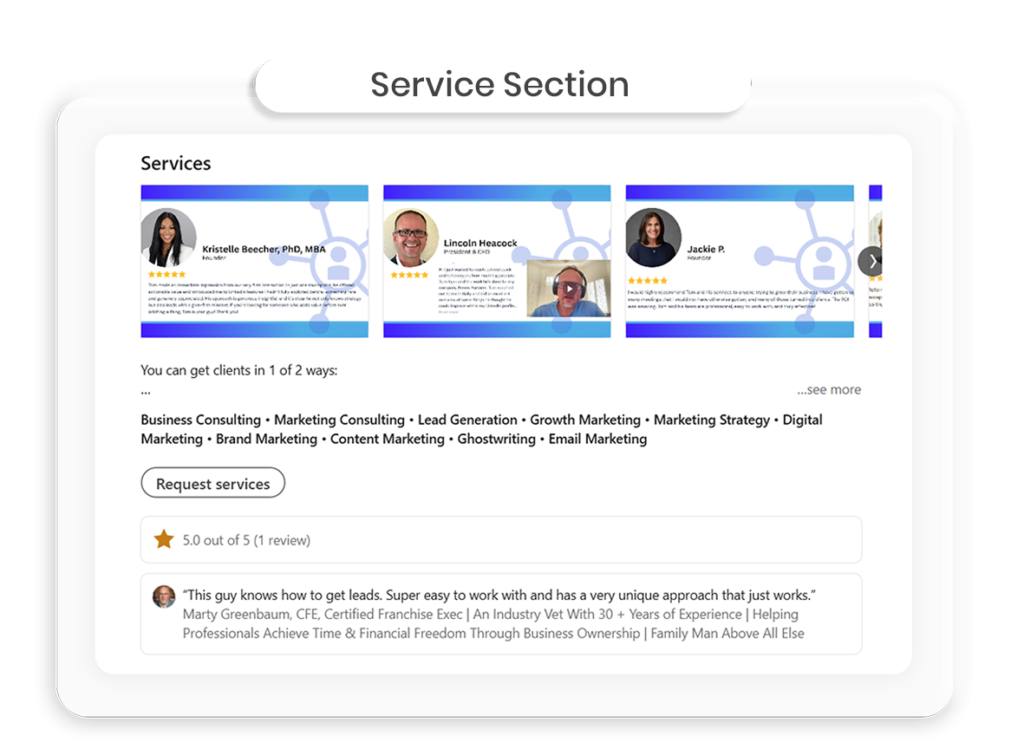
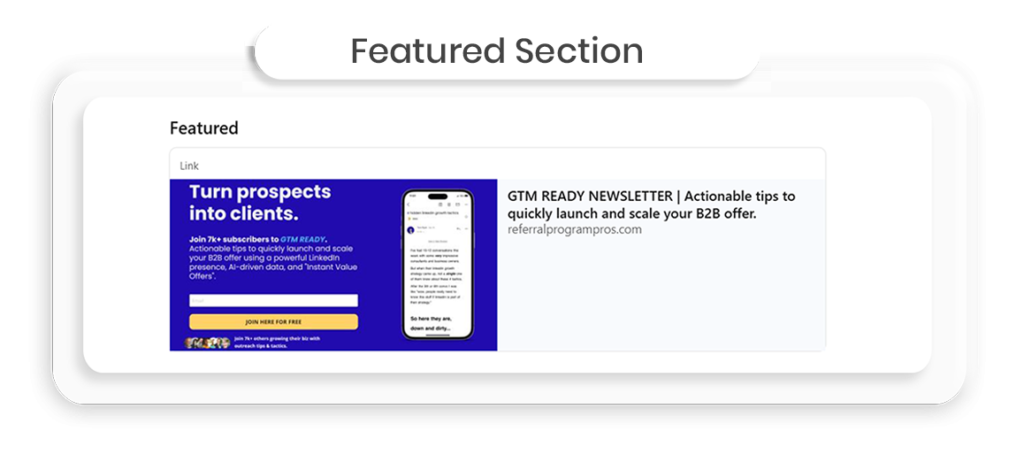
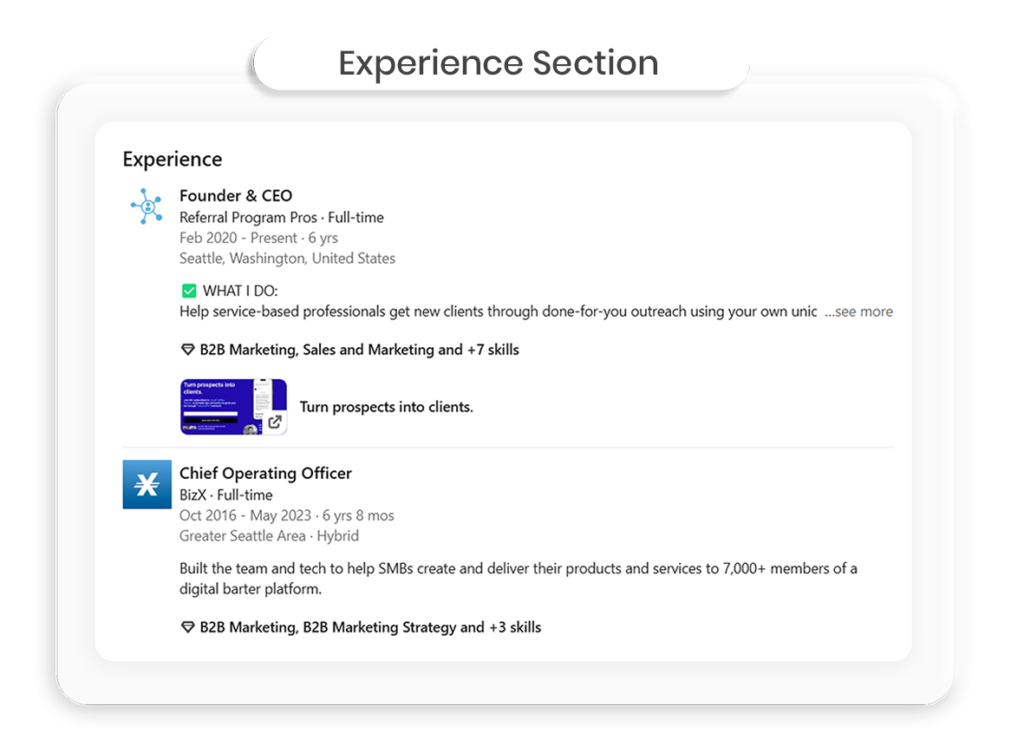
See examples of our work
on the slideshow below...
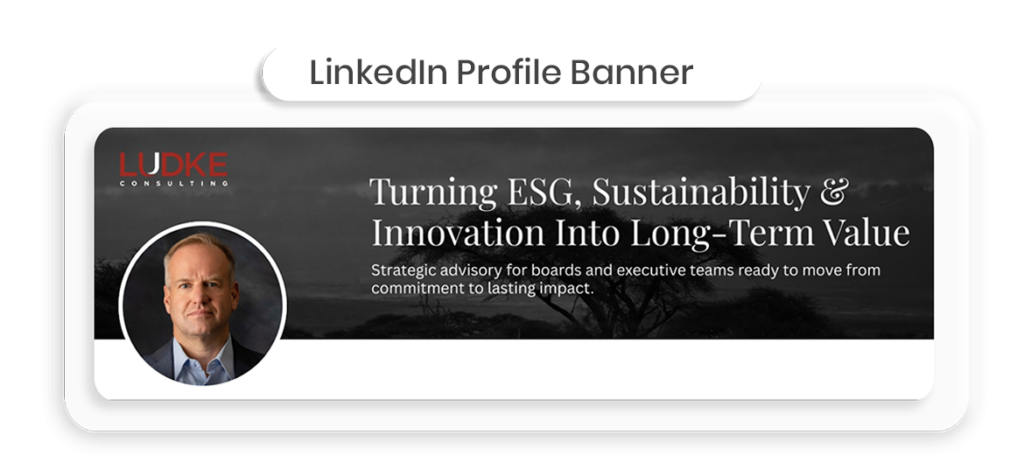
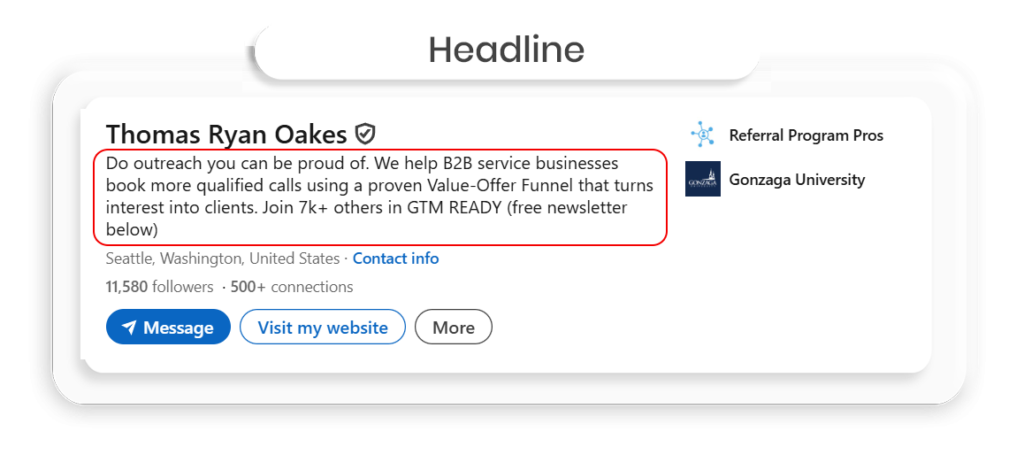
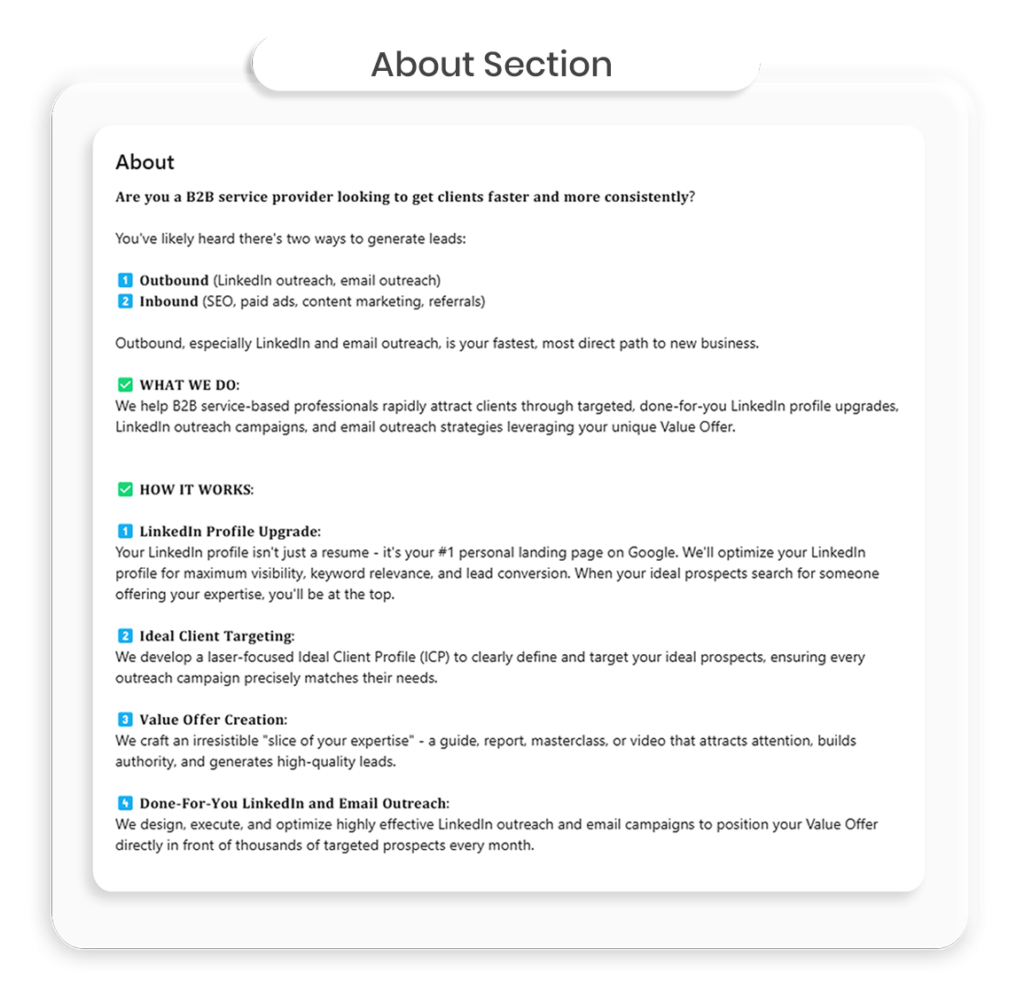
3 Easy Steps to
Upgrade Your Profile:
01
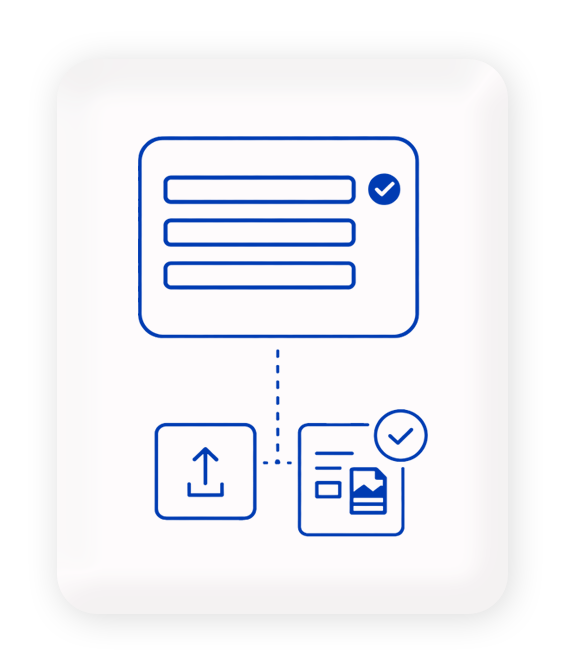
Fill out a brief form including
any branding assets/files.
02
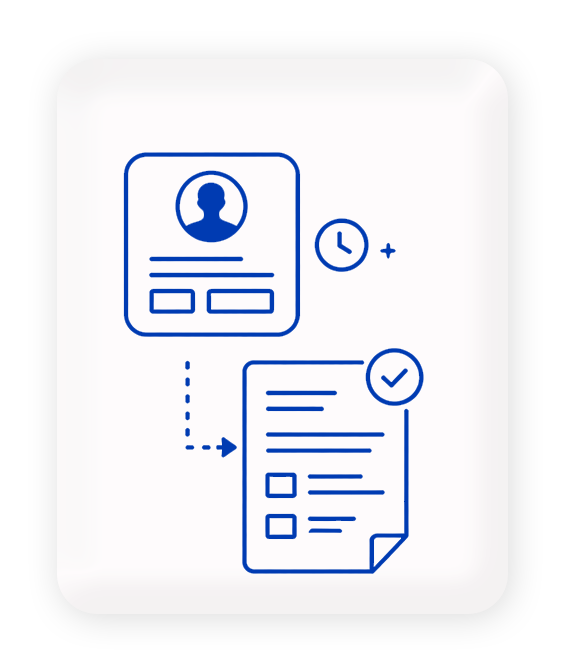
We work on your profile and deliver it for review on a google doc within 5-7 business days.
03
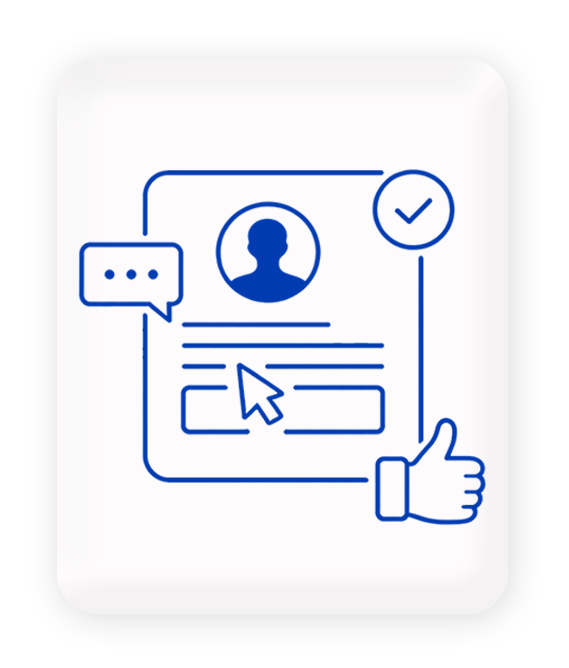
Once approved, we login and make
the updates directly on your profile.
(or you can update yourself depending on
your plan or if you prefer not to share credentials).
We make sure your profile works for your business by...
1) Attracting prospects to your profile.
2) Making it clear who you serve and what your service does.
3) Giving a clear path for prospects to take the next step and convert.
100% Money Back Guarantee
If your profile is not delivering more views within 30 days, we provide a full refund. No questions asked.
Flexible Pricing & Plans
to fit your needs.
starter
$550
Done and delivered in less than 7 business days
✅ Your banner image
✅ Your customized headline
✅ Your "About" section
100% Money-Back Guarantee
professional
$750
Done and delivered in less than 7 business days
✅ Your banner image
✅ Your customized headline
✅ Your call-to-action link
✅ Your "About" section
✅ Your "Services" section
✅ Your "Featured" section
✅ Your "Experience" section
✅ Keyword optimization
100% Money-Back Guarantee
elite
$950
Both Personal & Company page done and updated for you less that 7 business days
✅A complete overhaul of your
Company Page
✅New branded banner
✅Call-to-action button
✅Company page write-up
Includes everything in PROFESSIONAL +
100% Money-Back Guarantee
Frequently Asked Questions
What is the best outbound strategy?
Here’s the 4-step process to make sure your outbound campaign is super effective, and it’s dead simple:
Step 1 – Create your value offer
A value offer is a slice of your service that starts solving a real problem for your prospect.
It could be a short video, a quick audit, a tool, a checklist, or a workshop invite.
The goal: help first, sell later.
Step 2 – Craft personalized messaging
Your message should make it obvious it couldn’t have been sent to anyone else.
Reference their role, work they’ve shared, or something happening in their market.
Name a likely problem they have, explain your value offer, and ask permission to send it.
Step 3 – Send your value offer
Once they say yes, send it over.
Now you’re starting the relationship from a place of service, and setting yourself up for a much warmer, higher-converting sales call.
Step 4 – Add them to your newsletter
This is where the compounding happens.
Every “yes” you get to your value offer becomes a new contact you can nurture, whether they’re ready now, in 2 weeks, or in 2 years.
You’re not just chasing this week’s meetings. You’re building a list of engaged, educated prospects who already see your value.
Why This Works So Well
You feel good about your outreach – You’re genuinely helping people, not just pitching them.
You build a better pipeline – Every outreach motion feeds both immediate opportunities and long-term nurture.
You set up better calls – Prospects show up knowing what you do and grateful for the help you’ve already given them.
Outbound done this way is more than just booking meetings – it’s building an audience that knows, likes, and trusts you.
How many touchpoints does it take to convert a LinkedIn lead into a booked call?
You’ll rarely book a call from the first message unless your timing is perfect.
In most of my campaigns, it takes 3–5 touches across 1–2 weeks:
Connect
Message 1 (value or insight)
Message 2 (light follow-up or question)
Message 3 (a soft CTA or invitation)
Persistence matters but so does tone. People ghost salesy follow-ups, but they’ll often reply to something that’s helpful, relevant, and respectful of their time.
Should you send a connection request first or pitch in the first message?
Always connect first, without a pitch.
Let them accept the request, then follow up a day or two later with a thoughtful message. Cold pitching in the connection request almost always gets ignored or rejected.
Best practices:
Connection note: 1–2 lines max, ideally relevant
Follow-up message: helpful, specific, conversational
Think of the connection as permission to start a conversation, not an ad slot.
How much personalization is too much?
You don’t need to write a poem about their career—but vague personalization is worse than none at all.
What works:
Referencing a post, interview, or shared connection
Mentioning a specific pain point you solve for their role
What doesn’t:“Saw you’re in [industry]—cool!”
“Congrats on the new role!” (used by bots 24/7)
The sweet spot: 1 tailored sentence + a message that makes sense for their world.
What’s the most surprising response you’ve ever gotten from a cold message?
Once, I messaged a founder with a comment about their product launch.
They replied:
“This is the only outreach I’ve replied to this month – well played.”
We ended up hopping on a call the next day, and it turned into a 6-month project.
Moral: People don’t hate outreach. They hate bad outreach.
How long does it actually take to start seeing results on LinkedIn?
Most people give up too soon.
If you have the right offer and messaging, you can see replies in your first week.
When we run campaigns for clients, we are getting positive replies on the first day 95%+ of the time.
But for consistent, qualified leads?
Plan on 4–6 weeks of testing and refining.
You’re building momentum, not just sending messages.
And your pipeline won’t be at full stride until 4-6 weeks in because of your follow-up cadence, people getting back to you, etc..
Does my linkedin profile picture and banner really matter that much?
Yes, massively. First impressions count. We have tested this extensively and it is undeniably important.
Use a clear, friendly, high-quality headshot
Banner = valuable real estate. Use it to reinforce your offer or credibility
Think of your profile like a landing page. Visuals establish trust before a single word is read.
What’s a good open rate for a B2B cold‑email campaign?
Benchmark data suggests a typical B2B open rate of around 40–44%, but top-performing campaigns—typically with strong subject line testing, personalization, and segmented lists—often surpass 60% open rates. Outperforming this threshold typically signals excellent list hygiene and sender reputation.
Source: https://instantly.ai/blog/cold-email-conversion-rate/
What makes a killer subject line now?
A standout subject line in 2025 is typically 36–50 characters, specific, personalized, and often phrased as a question or including a number. According to Mailmodo, questions in subject lines can lift open rates by ~21%, and subject lines including numbers increase opens by over 100%. These formulas outperform vague or generic titles.
Source: https://www.mailmodo.com/guides/cold-email-statistics/
How do I keep out of spam folders?
Deliverability hinges on three core practices: authentication (SPF, DKIM, DMARC), throttled send volume (start at 30–50 emails/day per inbox), and bounce monitoring. Mailshake’s 2025 cold email report stresses that failure to authenticate or manage metrics is a leading cause of blocks and spam placement.
Source: https://mailshake.com/blog/the-state-of-cold-email-2025/
How long should I warm up a new domain for a cold email campaign?
Most practitioners consider 3–4 weeks of gradual sending safe to build basic reputation. However, for optimal deliverability and <1% spam placement on strict providers like Gmail or Office 365, warming over 45–90 days is now recommended.
Source: https://instantly.ai/blog/cold-email-conversion-rate/
Which parts of the linkedin profile affect connection acceptance most?
A custom profile including:
A compelling headline that conveys value,
A professional photo, and
A branded or personalized banner
can lift request acceptance rates to approximately 45%, compared to ~15% for generic or unoptimized profiles.Source: https://cultivatedculture.com/linkedin-profile-tips/
What’s a good LinkedIn Social Selling Index (SSI) score?
The LinkedIn Social Selling Index (SSI) rates your performance on four pillars: personal branding, finding the right prospects, engaging with insights, and building relationships. Scores take value from 0‑100 and update daily. Most LinkedIn users sit in the 40–50 score range, signaling moderate platform activity.
Strong performers score between 60–70, and elite sellers—often in top-performing sales or growth teams—hit 75+, placing them in the top 1% of users. Users with scores above 70 are significantly more likely to generate meaningful connections, receive engagement, and ultimately convert outreach into pipeline—Casually, LinkedIn finds that SSI of 70 correlates with up to 45% higher opportunity creation.
While SSI is not the only metric that matters, tracking steady growth in your score is a practical proxy for consistent LinkedIn optimization and network effectiveness.
Should I automate LinkedIn outreach or do it manually?
Automation tools like Expandi, Dripify, and Zopto enable scaling outreach—but execution quality determines results. Expandi’s data shows connector campaigns average 29.61% connection acceptance, though manual outreach enriched with pre-engagement often exceeds 45–50% acceptance rates.
Outreach must remain personalized: shallow templated sequences or bulk messaging often trigger LinkedIn restrictions and yield low response. Manual outreach is slower but safer and more authentic, while automation offers speed only when paired with tested, tailored messaging.
Many professionals refine their message flow manually—testing tone, sequencing, and timing—then deploy automation to scale repeatable workflows. Automation should respect daily action limits, include tokens for relevant personalization, and simulate human behavior to prevent flags. Hybrid approaches like this ensure consistent quality at scale.
Source: https://www.expandi.io/blog/state-of-li-outreach-h1-2025/
How to build a high converting outreach campaign?
To build a high-converting outreach campaign, follow these five core principles backed by real data:
1. Target Precisely
Start with a clear ICP. Segmented outreach leads to 14.31% higher open rates and 100.95% higher click-through rates.
Source: https://blog.hubspot.com/sales/sales-email-personalization-research
2. Lead With a Value Offer
Don’t pitch—help. Offer something useful (e.g. a checklist, audit, insight). Value-first messages are up to 3x more likely to get replies.
Source: https://www.outreach.io/blog/why-your-cold-email-asks-arent-working-and-what-to-do-instead
3. Keep It Short and Personal
Messages under 100 words perform best. Short emails saw a 51% higher reply rate in one study.
Source: https://woodpecker.co/blog/email-copywriting/email-length/
4. Follow Up Multiple Times
Most responses happen after the 2nd or 3rd follow-up. 80% of deals require at least 5 touches.
Source: https://www.marketingdonut.co.uk/sales/sales-techniques/why-following-up-is-vital-to-closing-the-sale
5. Test and Improve
Track open/reply rates. A/B test subject lines and offers.
What’s a realistic reply rate for cold LinkedIn outreach and how can you improve it?
Most cold LinkedIn outreach campaigns see reply rates between 10–25% depending on the niche, message quality, and personalization level.
In my experience, generic pitches hover around 5–10%, while highly personalized messages referencing a post, podcast, or specific role can hit 30%+.
The biggest needle-movers:
Short, human-sounding openers
Asking a genuine question instead of pitching
Referencing something they’ve actually posted or shared
LinkedIn themselves suggest that InMail response rates average 10–25%, which is 3x email.
What’s the best way to warm up cold prospects without being ignored?
Don’t pitch, spark curiosity or deliver value.
Examples that have worked well:
Share a relevant insight or resource
Ask a genuine question about something they’ve posted
Offer to do something for them (quick audit, intro, idea, etc.)
One message that pulled a 48% reply rate started with:
“Just watched your team’s product launch—smart positioning. Quick question for you…”
What’s the ideal LinkedIn message length for a first cold outreach?
Shorter usually wins. Aim for under 400 characters if possible (or under 100 words)
Tested message styles:
120–200 chars → feel like DMs, get more replies
400–600 chars → good for slightly more context
600 chars → often get skimmed or ignored unless hyper-relevant
Rule of thumb: 1 idea per message. Don’t explain the whole pitch, just enough to spark a reply.
What tools or automations actually help, and which just get you banned?
ANY automation tool can get you banned. And LinkedIn is cracking down more and more on these tools.
Here are the tools we suggest using that we have found to be safe:
Sales Navigator (obviously)
PhantomBuster (for light automation + enrichment)
Twain (for message generation – still need a human-in-the-loop though)
Risky tools:
Browser injection bots that mimic human behavior too aggressively
Anything that mass-scrapes or spams beyond LinkedIn limits
LinkedIn limit: 100–200 connection requests/week is generally safe. Respect throttling or you’ll get flagged.
What do most people get wrong about getting leads on LinkedIn?
They treat it like a sales channel when it’s really a trust channel.
You’re not selling. You’re starting conversations.
Bad outreach feels like a billboard.
Good outreach feels like:
“Hey, saw this and thought of you.”
What should my LinkedIn headline say if I want to attract leads?
Make it about what you do for your clients, not your title.
✅ “Helping SaaS founders increase demos with conversion-focused SEO”
❌ “CEO at GrowthPro”
Your headline is a micro pitch – make it instantly clear who you help and how.
Is cold email still working in 2025, or is it dead?
Cold email remains a highly effective outbound channel in 2025. According to Belkins, average reply rates have dipped slightly from 6.8% to 5.8% year-over-year, while open rates have stabilized around 31–32% for B2B senders. The decline is modest—and personalization now makes the difference. Campaigns with deeply targeted messaging and clean lists still deliver strong ROI, confirming that cold email is certainly not dead when executed well.
What reply rate should I aim for?
Realistic reply rates for most B2B cold email campaigns fall between 1–5%, as noted by GMass. However, well-targeted, highly personalized sequences often push reply rates to 8–12%, and elite performers see 15–20%+ replies. If you convert 20% or more of opens into replies, you’re in the top quartile.
Source: https://www.salescaptain.io/blog/cold-email-response-rates
How long should my cold email be?
Short and focused emails win. Data from Popupsmart (citing Sopro) shows optimal cold emails run 50–125 words. Lemlist reports that ~120-word messages booked 52% of meetings, while ~300-word emails only achieved around 20% booking rates—a stark reminder that brevity drives action.
Source: https://community.popupsmart.com/t/how-long-should-marketing-emails-be/68
What tech stack do I need before launching a cold email campaign?
Before launching, you need:
A separate sending domain and dedicated inbox
DNS setup with SPF, DKIM, DMARC, and MX records
An inbox warm-up tool
Tools to verify email validity and cleanse bounces
A cold email sequencer (like Lemlist or Mailshake) to automate sequences
This stack ensures deliverability, tracking, and safe scaling.
Source: https://mailshake.com/blog/the-state-of-cold-email-2025/
How complete does my LinkedIn profile really need to be?
LinkedIn-optimization data from Cultivated Culture shows that fully completed profiles generate 21× more views and 36× more messages than incomplete ones. Even fully built company pages gain roughly 30% more weekly visibility—demonstrating the power of completeness in driving inbound engagement.
Source: https://cultivatedculture.com/linkedin-profile-tips/
How many connection requests can I safely send per day?
LinkedIn imposes strict weekly limits to curb spam. Free accounts typically have a cap of 100 connection requests per week, while paid accounts such as Sales Navigator users often reach up to 200–250 requests per week, depending on account health and activity history. That breaks down to approximately 15–20 requests per day for free profiles and up to 35–40 per day for paid users if evenly distributed.
Exceeding these thresholds—even in a single day—can trigger warning flags or temporary action bans. Moreover, LinkedIn’s internal algorithms evaluate not just volume, but consistency and acceptance rates. If your account experiences low acceptance—as in below 30%—LinkedIn will throttle activity more aggressively.
Maintaining a balanced cadence is critical: stay within safe sending limits, avoid large spikes, and remove stale pending requests. Most experienced users report best results with 80–100 invites per week for free users or 150–200 per week for premium users, paired with profile optimization and thoughtful outreach. This approach maximizes reach while preserving long-term account health.
Source: https://www.expandi.io/blog/state-of-li-outreach-h1-2025/
How do I track ROI from LinkedIn outreach?
To measure ROI from LinkedIn outreach, track these key metrics:
Connection acceptance rate: percentage of requests accepted
Reply rate: percentage of sent messages that receive a response
Booked-call rate: portion of replies converting into meetings
SSI score progression: indicates ongoing engagement
CRM-attributed revenue: deals closed originating from outreach sequences
Using LinkedIn Campaign Manager for ads, UTM-tagged links on content, and CRM data ensures each stage—from connection to closed opportunity—is measurable. Tracking acceptance and response metrics tells you about your outreach health, while booked calls and closed deals show direct revenue impact.
When these metrics are tied together, you move from vanity indicators to actionable insights—cost per meeting, lead-to-meeting conversion, close rate, and average deal value per outreach effort. This structure supports iterative optimization and clearer ROI narratives.
Source: https://www.linkedhelper.com/blog/linkedin-ssi-score/
Do a custom banner and pro photo really matter?
Yes—they’re foundational for LinkedIn effectiveness. Research shows fully optimized profiles with branded banners, professional photos, and clear headlines receive up to 21× more profile views, 9× more connection requests, and 36× more inbound messages compared to default or incomplete profiles. Engagement rises sharply with visual credibility: posts from such profiles get around 94% more views.
These assets act as nonverbal trust signals—conveying professionalism, relevance, and clarity before a visitor reads a word. They also simplify decision-making: when a prospect sees a polished profile and tailored banner, they’re much more likely to accept a connection request or respond to outreach.
Investing in professional visuals is therefore more than cosmetic; it measurably improves reach, conversion, and engagement on the platform.